





Data Breaches · Privacy Tools
Leaked & Exposed - How to Check If Your Data Is on the Dark Web
March 23, 2025
Your personal information may already be circulating online without you knowing it.
When a company experiences a data breach, stolen information such as email addresses, passwords, Social Security numbers, and financial details may be shared or sold through criminal forums.
That sounds alarming, but finding out that your information was exposed does not automatically mean someone has stolen your identity or accessed your accounts. It means you should find out what was involved and take the appropriate next steps.
So, how can you check whether your data has been leaked, and what should you do if you find it?
Scary Fact: A Breach is Not Aways Obvious
You may learn about a breach through a notice from the affected company, an unfamiliar login alert, or a password reset you did not request.
In other cases, you may not realize your information was involved until you check it yourself.
This is one reason it is helpful to use reputable breach-checking tools and pay attention to security alerts connected to your accounts.
How Stolen Information May Be Used
Once personal information is exposed, it may be copied, shared, combined with other records, or used in different types of scams.
1. Your Passwords Are Sold to Criminals
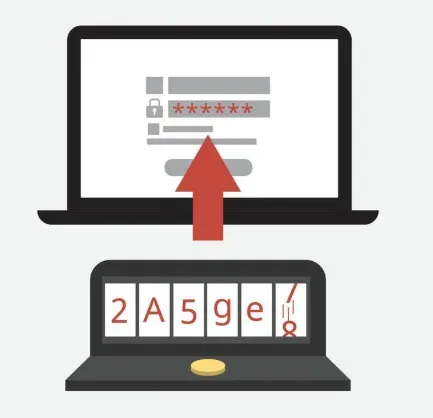
Stolen login details are sometimes collected into large databases.
If you reuse the same email address and password across several websites, someone can test those credentials on your other accounts. This is known as credential stuffing.
A password taken from an old shopping account may still create a problem if it also works for your email, bank, or social media account.
2. Your Personal Details May Be Used for Identity Theft
Names, dates of birth, Social Security numbers, and financial details can be used to impersonate someone, open accounts, apply for loans, or file fraudulent tax returns.
The level of risk depends on what information was exposed. An email address alone does not create the same risk as an exposed Social Security number or bank account.
3. Your Email May Be Used for Phishing Scams
An exposed email address can lead to more spam and phishing attempts.
Scammers may send messages that appear to come from your bank, employer, delivery service, or another company you recognize. If they also know your name, phone number, or other personal details, the message may feel surprisingly convincing.
Be cautious with unexpected messages that ask you to click a link, enter a password, share a verification code, or move money.
How to Check If Your Data Has Been Leaked
You do not need to search dark-web forums yourself. Reputable breach-checking and monitoring tools can help you look for known exposure.
1. Use Data Breach Lookup Tools
Have I Been Pwned? – A free tool that checks your email or phone number against known breach databases.
Firefox Monitor – Sends alerts if your data appears in a newly disclosed breach.
Privacy Bee – Scans for exposed personal information and helps remove it from vulnerable databases.
No service can search every private database or criminal forum. A clean result means your information was not found in the sources checked. It does not guarantee that your information has never been exposed.
You can also read Privacy Bee’s explanation of what happens to personal information after a data breach.
2. Watch for Warning Signs
Possible signs of account or identity misuse include:
Password reset emails you did not request
Login alerts from unfamiliar devices or locations
A sudden increase in targeted phishing messages
Bank charges or transfers you do not recognize
Credit inquiries or accounts you did not open
One sign does not automatically confirm identity theft, but it is worth checking.
3. Monitor Your Credit and Identity
Review bank and credit card statements regularly and enable transaction alerts when they are available.
If sensitive identity information was exposed, consider checking your credit reports and placing a credit freeze. The FTC explains how freezes and fraud alerts work in its credit freeze and fraud alert guidance.
How to Protect Yourself from Data Leaks
If you discover that your information was exposed, focus on what you can still control.
1. Change Affected Passwords Immediately
Change the password on the affected account and anywhere else you used the same or a similar password.
Use a unique password for each important account. A password manager can help you create and store them.
Enable multi-factor authentication wherever it is available, especially for your email, financial, and social media accounts.
The FTC also provides steps to take after receiving a data breach notice.
2. Reduce Exposure Through Data Brokers
Data Brokers and People Search Sites collect and publish information such as names, addresses, phone numbers, relatives, and other identifying details.
This is different from dark-web exposure, but the information can be combined. A leaked email address or password may become more useful when paired with a home address, phone number, or family information found elsewhere.
Many Data Brokers and People Search Sites provide opt-out or removal processes. You can complete those requests yourself, or use a service to help manage ongoing monitoring and removals.
Privacy Bee identifies personal information across covered sources and submits removal requests based on your service level.
Privacy Bee cannot reverse a breach or reliably remove information from the dark web. Signature Services can monitor supported dark-web sources, alert customers to detected exposure, and take steps to limit related exposure across the surface internet. Read more about what Privacy Bee can and cannot do with dark-web exposure.
3. Be Cautious with Unexpected Messages
Do not click suspicious links or open attachments from unknown senders.
If an urgent message claims to come from your bank, employer, or another company you use, verify it through the organization’s official app, website, or phone number.
Do not use the contact information provided in the unexpected message until you have confirmed that it is legitimate.
4. Understand the Bigger Risk Picture
A breach is only one way personal information becomes available online.
Public records, old accounts, social media profiles, Data Brokers, and People Search Sites can all contribute to a larger profile about you.
Knowing what is already visible gives you a clearer idea of what needs attention. Privacy Bee’s guide to what an exposure means explains how personal information can appear across these sources.
5. Understand How Exposed Information Can Be Combined
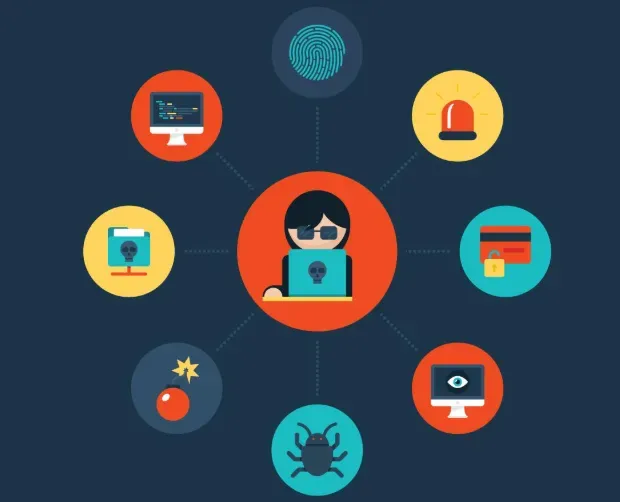
Someone doesn’t need to find a complete profile about you in one place.
An email address or password from a breach may be combined with a phone number, home address, relatives, or other details found through public records, Data Brokers, and People Search Sites. Those connections can make phishing and impersonation attempts more convincing.
That doesn’t mean having exposed information automatically makes you a target. It means reducing what is publicly available can leave fewer details for someone to connect.
Learn more about what happens to your information after a data breach.
Take Control of What Happens Next
You cannot undo a breach that has already happened, but you can reduce the risk of exposed information being misused.
Change affected passwords, enable multi-factor authentication, monitor important accounts, and consider a credit freeze when sensitive identity information is involved.
You can also reduce the additional personal information available through Data Brokers and People Search Sites.
Want to see whether your information appears in known exposure data? Run your free Privacy Bee exposure scan.