

Privacy 101
Got a new phone number? Here's how to stop the old owner's data from following you
August 31, 2026
Got a new phone number? Here's how to stop the old owner's data from following you
You get a new phone number and expect to start fresh. Instead, you get a text from someone asking for a person you've never heard of. Then there's a password reset code. Maybe a debt collector calls looking for the same person.
What gives?
You may have been assigned a recycled phone number. Phone numbers don't stay with one person forever. When a number is disconnected, it can eventually be assigned to someone else. But while the number has a new owner, old records connected to it may still be floating around.
That can mean calls, texts, account notifications, and online listings meant for the previous owner end up reaching you.
It's frustrating, but it doesn't mean you did anything wrong. There are a few practical things you can do to separate your new number from the person who had it before you.
Most likely, you were given a recycled phone number. The number belongs to you now, but old accounts, contact lists, and online profiles may still have it connected to the person who used it before.
Why does my new phone number still get calls for someone else?
Your new number isn't still connected to the previous owner in any official sense. It has been reassigned to you. The trouble is that the rest of the internet doesn't update as quickly as your carrier does.
Think about all the places a phone number can end up. A bank might have it in a customer record. A business might have it in a contact list. An old friend might still have it saved in their phone. A People Search Site might have collected it from somewhere else.
Your carrier can't go through all of those records and replace the old owner's information.
The FCC's Reassigned Numbers Database helps callers determine whether a telephone number may have been permanently disconnected and reassigned. The goal is to help reduce calls intended for a number's previous user. FCC Reassigned Numbers Database
So if your new number keeps receiving calls or messages meant for its previous owner, it doesn't necessarily mean anything is wrong with your new account. It may simply mean an old record hasn't caught up with the number yet.
Most of the time, this is an annoyance. But there is one part you shouldn't ignore: old account connections.
Can a recycled phone number still be connected to someone else's account?
Yes, and this is where things get a little more complicated.
Phone numbers are often used for account recovery and login verification. Someone may have used the number for an online account years ago and then changed their phone number without updating every account they had.
Research from Princeton University found that recycled phone numbers can remain connected to previous owners' online accounts and personal information. In a study of 259 phone numbers available to new subscribers at two U.S. mobile carriers, 171 were tied to existing accounts at popular websites, and the researchers also found recycled numbers associated with People Search Sites and leaked login credentials. Princeton University research on recycled phone numbers
If that old number is now yours, you might receive a password-reset message or a one-time verification code intended for the previous owner.
That doesn't mean you've been given access to their account. The message is simply evidence that the service still has the number saved somewhere in its records.
This is the account recovery risk that comes with a reassigned number.
The same idea applies to the SMS two-factor authentication risk. Some services send a code by text when someone signs in or tries to recover an account. If the previous owner never replaced the number, those messages can now arrive on your phone.
If you receive one, don't enter the code or try to access the account. It's not your account, and there's no reason to investigate it yourself. If the messages keep coming, contact the service through its legitimate support channel and explain that the number has been reassigned.
For a related look at how phone numbers can affect account security, see our article on SIM swap scams.
How can you find out what's attached to your new number?
Before you start fixing things, it helps to see what's actually out there.
Search your new phone number online. Try it with different formatting, such as with dashes, spaces, or parentheses. You might find an old business listing, public profile, forum post, or directory entry.
Next, check People Search Sites and Data Brokers.
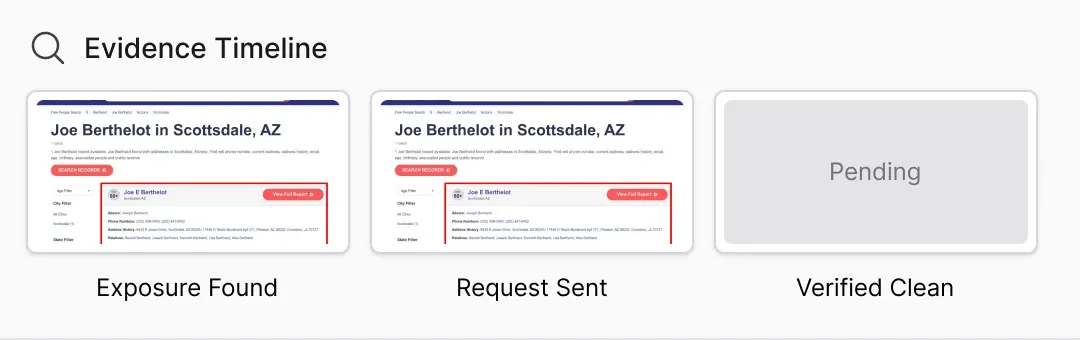
These sites collect information from various sources and may build profiles around a person's name, address, phone number, and other details. If your number belonged to someone else, it may still appear in a profile associated with them.
You could find the previous owner's name next to the number. You might also see an old address or other information that clearly isn't yours.
That's useful because now you know where at least some of the old connection is coming from.
Try searching your new number the same way you'd search your name. If you want a broader picture, an exposure scan can show what else may be connected to the number.
If you find a stale People Search Site profile, our guide on What are people search sites? How do I remove myself? walks through the basics of dealing with these listings.
What should you do during your first week with a new number?
You don't have to spend days chasing down every old contact. Start with the things you can actually control.
1. Update your phone number on accounts you own
Start with the accounts that matter most.
Update your phone number on accounts such as:
Email
Banking and financial accounts
Apple, Google, or Microsoft accounts
Social media
Messaging apps
Shopping accounts
Healthcare portals
Important subscriptions
Pay extra attention to accounts that use your number for password recovery or SMS verification.
You're cleaning up your own accounts here. You don't need to figure out what the previous owner has done with theirs.
2. Search your new number online
Search the number in a few different formats, then check People Search Sites and Data Brokers.
Look for profiles that connect your number to someone else's name or personal information.
If you find a Data Broker listing that connects the number to the previous owner, save the page or take a screenshot. You'll want to know exactly which listing you're dealing with when you ask the site to correct it.
3. Ask the site to correct a stale listing
Once you find a stale listing, look for a correction, dispute, or contact option. Explain that the number has been reassigned and ask the site to remove it from that profile.
Don't try to claim the previous owner's profile or fill out an opt-out request as if you were them. If the site only lets the person named on the listing request removal, contact its support team and explain the situation instead.
You're not trying to erase someone else's online history. You're simply trying to separate your number from it.
4. Register your number with the Do Not Call Registry
If you're in the U.S., you can add your new number to the National Do Not Call Registry.
If you've changed your phone number, you need to register the new number. The FTC explains that registrations are removed when numbers are disconnected and reassigned, which means a number's previous registration does not automatically carry over to its new owner. FTC: National Do Not Call Registry FAQs
The Registry is designed to reduce certain telemarketing calls from companies that follow the rules. It won't stop every unwanted call, and it isn't a solution for every wrong-number call or scam.
You can register through DoNotCall.gov.
5. Deal with persistent wrong-number contacts
You don't need to explain the whole situation every time somebody calls.
For a legitimate caller or business, something as simple as this can work:
“You have the wrong number. This number was recently reassigned to me. Please remove it from your records.”
If it's a company that keeps contacting you, use its official customer-service channel and ask it to correct the number.
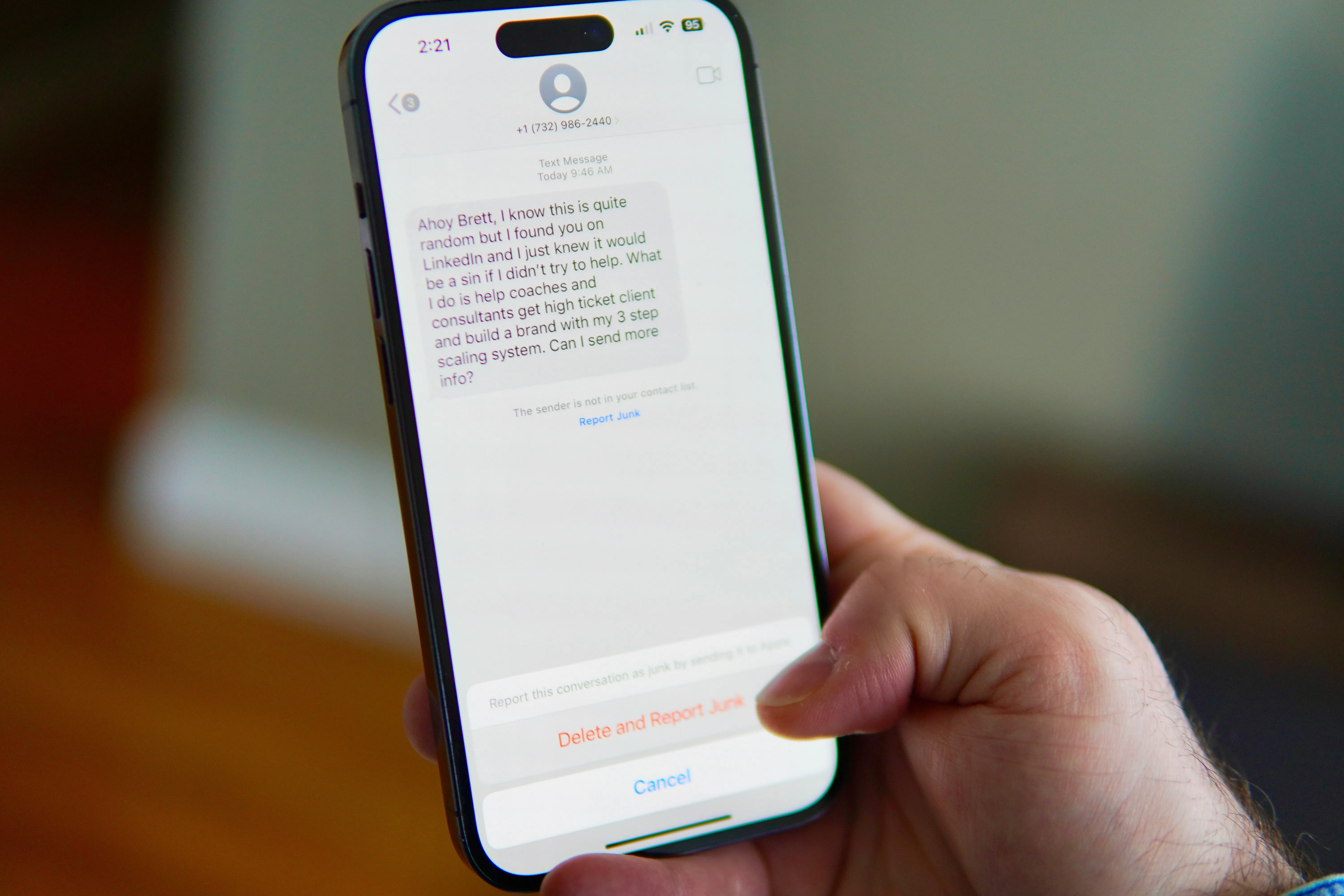
If the messages or calls look like spam or scams, don't keep responding. Block the number and use your phone or carrier's reporting tools.
If Data Broker records are contributing to unwanted calls, see How Data Removal Cuts Down Spam Calls for more information.
What is the risk for you versus the previous owner?
A reassigned number can create problems on both sides.
Your side: you're inheriting someone else's digital leftovers.
Their friends or contacts may still have the number saved.
Businesses may still have it in their records.
Old account notifications may reach you.
Password-reset and verification messages may show up.
People Search Sites may connect the number to their information.
Their side: they're leaving a number behind.
Their contacts may keep calling it.
An old account may still list it for recovery.
Verification messages could go to whoever gets the number next.
Data Brokers may continue associating the number with them.
Neither person necessarily did anything wrong. The number changed hands; the records didn't all change with it.
What should you do before giving up your old number?
If you've ever dealt with somebody else's digital leftovers, you can avoid creating the same problem for the next person.
Don't wait until your old number has already been disconnected.
Before you switch, go through your important accounts and replace the old number. Check account-recovery and two-factor authentication settings too. Remove the number anywhere you no longer need it.
It's also worth searching your old number online.
Try searching your name and the old number together. If a People Search Site still connects them, deal with that listing before you give up the number.
Think of it this way: if you can find your old number connected to your information today, the next person who gets that number may be able to find it too.
You don't need to erase every mention of an old number from the internet. The important thing is making sure you no longer depend on that number for access to your accounts or leave unnecessary personal information attached to it.
Is fixing a recycled phone number a one-time job?
Not always.
You might remove one listing today and find another one a few months later. A company could update an old record after you've already moved on. A Data Broker might refresh its information from another source.
That's why it's worth checking again from time to time.
Your digital footprint changes as you sign up for services, move, shop online, and go through ordinary life events. Information can also move between databases, so something that disappeared from one place can sometimes show up somewhere else.
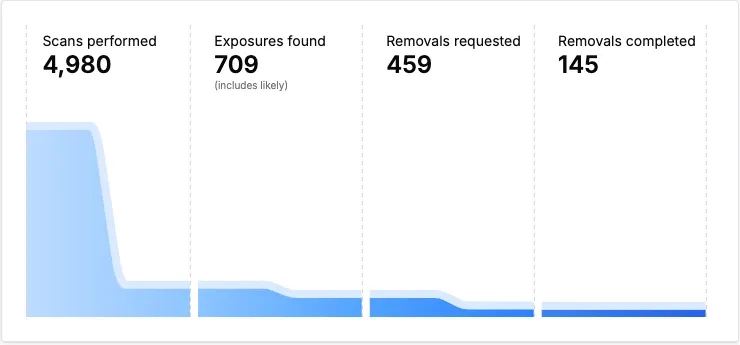
This is where ongoing exposure checking can help. Instead of relying on one search, you can keep an eye on what information is associated with your name and phone number over time.
If you're curious about what's already out there, start with a simple search of your name and number. Then look at the results from the perspective of someone who has never met you.
For more on how ordinary changes can put personal information online, see How Normal Life Events Put Your Info Online (And What To Do).
Searching and correcting stale listings helps with what you can find today. Privacy Bee can help you monitor personal information connected to your own identity across covered Data Brokers and People Search Sites. Depending on your plan, it can also help with removal requests when your information appears again.
A listing that still belongs to the previous owner may need to be corrected directly with that site.
Want to see what may already be connected to your identity? Start with a free Privacy Bee exposure scan.
Frequently asked questions
How do I find out who had my number before me?
There's usually no simple public directory that tells you exactly who previously used a phone number. You can search the number in search engines, People Search Sites, and Data Broker databases to look for older profiles and references.
Don't assume every result is accurate, though. A name appearing next to your number doesn't necessarily prove that person was the previous owner.
Can someone access my accounts with a recycled number?
A previous owner may still have the number saved as a recovery or verification method on an account. That can cause password-reset messages, account alerts, or authentication codes to reach you.
Receiving one of these messages doesn't automatically give you access to the account. Don't use the code or attempt to sign in. If the messages continue, contact the service through an official support channel and explain that the number has been reassigned.
How do I stop wrong-number texts and calls?
For legitimate callers or businesses, tell them briefly that the number has been reassigned and ask them to update their records.
For persistent unwanted calls or messages, block the number and use your phone or carrier's reporting tools. If a People Search Site or Data Broker has connected your number to the previous owner, request correction or removal of that listing.
You can also register a U.S. number with the National Do Not Call Registry. Just keep in mind that registration doesn't stop every unwanted call or text.
A new number doesn't always mean a clean digital slate
Getting a new phone number should feel like a fresh start. Sometimes, the number comes with a little history.
If you're suddenly getting calls, wrong-number texts, or account notifications meant for somebody else, you probably don't need to panic. The number may simply have been reassigned before every old record caught up.
Start with the basics. Update your own accounts, search the number, deal with stale listings, and ask persistent callers to correct their records.
Then check again later.
Your phone number may be new to you. It can take a little longer for the rest of the internet to catch up.